.png)
.png)
.png)

Hard Disk Recycling: A Complete Guide to Safe and Responsible Disposal

Updated: Sep 9
Hard drives are data storage devices found inside computers, laptops, servers, and many other electronics. They typically contain spinning platters coated with magnetic material, along with motors, circuit boards, rare earth magnets, and various metals. Hard disk recycling is the structured process of safely disposing of these devices while recovering usable materials and ensuring stored data is permanently destroyed.
Their complex construction and hazardous internal components make hard drives more difficult to recycle than many other electronics. Handling them correctly matters for data security, environmental protection, and regulatory compliance.

Hard Drive Recycling vs. Data Destruction: What's the Difference?
These two terms are commonly used interchangeably in this field, but they describe different steps and require specific guidelines to accomplish both of them. Data destruction involves the process of making the stored information permanently unreadable, while recycling is the broader process that includes data destruction as its first step and then moves towards the dismantling and recovering of materials for reuse.
A hard drive can be destroyed without being recycled if it is just left in a landfill without proper handling. Responsible hard disk recycling facilities always prioritize both, but in sequence: first destroy the data and then recover the materials.
Why Does Hard Disk Recycling Matter?
Environmental impact
Improper disposal of hard drives creates serious environmental problems. When drives are thrown into general waste and sent to landfill, hazardous materials including lead, mercury, cadmium, and beryllium can leach into soil and groundwater over time. These substances are linked to respiratory and neurological conditions and can persist in the environment for years.
Electronics should be kept out of general waste and processed through proper e-waste recycling channels.
Resource recovery
Hard drives contain a range of valuable and recoverable materials, including:
Aluminium from casings and platters
Copper from wiring and circuit boards
Gold and silver from electronic contacts
Neodymium from the rare earth magnets inside the drive
Steel from structural components
Recovering these materials through responsible recycling reduces the need for new mining, lowers manufacturing costs, and supports a more sustainable electronics supply chain.
Data security
For businesses and individuals, disposing of a hard drive without proper data destruction is a significant security risk. Drives storing customer records, financial data, medical records, or other confidential material should never be discarded without secure data destruction first.
Legal and regulatory compliance
Depending on your industry and location, irresponsible disposal of data-bearing devices may carry legal consequences. Regulations such as GDPR, HIPAA, and CCPA each set expectations around how data is handled at end of life. Recycling through a compliant channel and maintaining documentation of the process is important for businesses subject to these requirements.

When Should You Recycle a Hard Drive?
Mostly, hard drives don't require recycling the day they stop being your primary drive. What makes it riskier is holding onto them for a long time without proper handling.
How long drives typically last:
Traditional HDDs—around four to seven years of regular use. HDDs contain moving parts, including a spindle motor and read/write arm, that are affected by heat and vibration and show mechanical failure and reduced functionality more quickly than SSDs.
SSDs—generally five to ten years- but they wear differently. Each memory cell has a limited number of write cycles, and a drive that's been sitting unpowered for a long time can start to lose data retention.
Practically, most hard drives don't get recycled just because they've reached the end of their lifespan. There are some other factors that trigger their recycling. It may be because
The drive has failed
The company is running an IT refresh or decommissioning equipment for an office move
The equipment is being sold, donated, or otherwise disposed of
Whatever triggers the process, don't wait until the drive fails completely. Failed hard drives are difficult to securely wipe with software, so you'll eventually need physical destruction instead—and the drive can't be reused afterward. If your goal is to wipe a drive and reuse or sell it, it's best to build a hard disk drive recycling checklist in advance so you're not trying to reduce data exposure risk at the last minute.

Data Destruction Before Recycling
Before a hard drive is recycled, the data it contains needs to be handled appropriately. The right approach depends on the sensitivity of the stored information and whether you are recycling through a professional service or handling it yourself.
For a full breakdown of destruction methods and how to choose the right one, see our [hard disk drive destruction guide →]. Below is a brief overview of the main options.
Software-based wiping — Tools such as DBAN (Darik's Boot and Nuke) overwrite the drive multiple times with random data, making original files practically unrecoverable. This works well for HDDs but is not considered sufficient for SSDs in regulated environments.
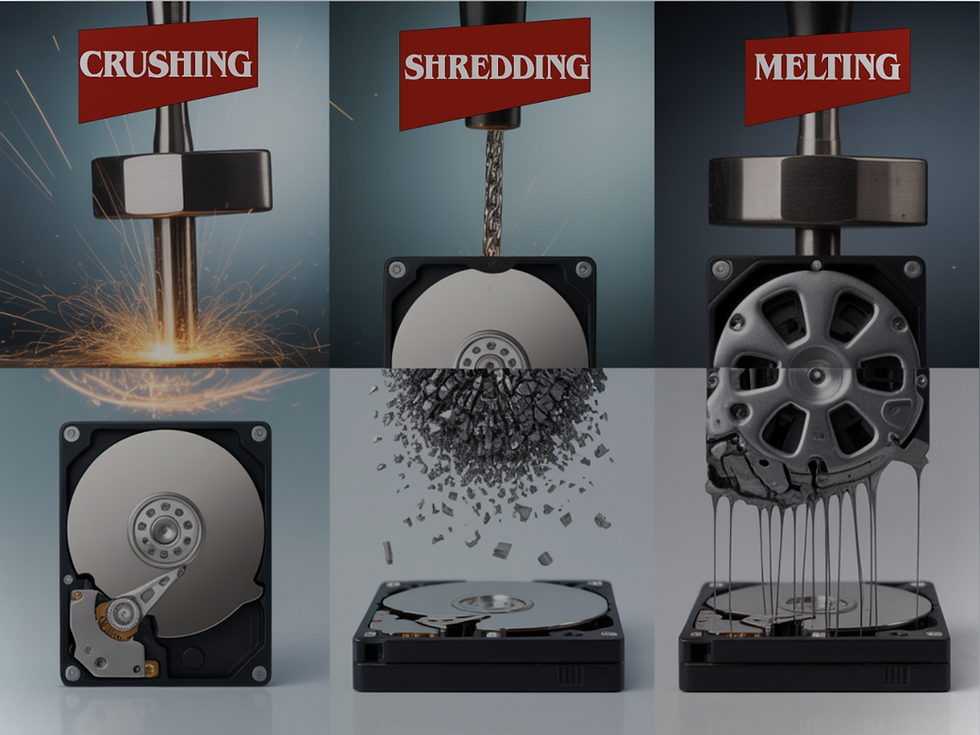
Physical destruction — Shredding and crushing render drives completely unreadable by destroying the storage media itself. These are the most reliable options for high-sensitivity data.
Degaussing — Uses a powerful magnetic field to disrupt data stored on magnetic platters. Effective for HDDs but has no effect on SSDs, which use flash memory rather than magnetic storage.
HDD vs SSD Recycling: What Is the Difference?
HDDs and SSDs store data differently and require different approaches to both destruction and recycling.
HDD | SSD | |
Storage method | Magnetic platters | Flash memory chips |
Degaussing effective? | Yes | No |
Software wipe sufficient for regulated data? | Sometimes | Generally no |
Physical destruction required? | For high-sensitivity data | Usually yes |
Materials recovered | Aluminium, steel, rare earth magnets, copper | Circuit board metals, gold contacts, plastics |
SSDs are increasingly common in laptops and modern devices. If you are unsure which type of drive you have, check the device specifications or look for labelling on the drive itself.
How to Remove a Hard Drive Before Recycling
If you are not handing the entire device to a recycling service, you may need to remove the hard drive yourself. Here is a general overview.
Before you start:
Unplug the device and allow it to fully discharge
Prepare the right tools — typically a Phillips head screwdriver, and an anti-static wrist strap if available
Refer to the manufacturer's manual or support page for your specific model
In a desktop PC: Open the case, locate the drive bay at the front bottom of the tower, disconnect the data and power cables, unscrew the drive from its bracket, and gently slide it out.
In a laptop: Most drives are accessible from the underside panel. Remove the back cover, locate the drive, disconnect the cable, and unscrew the bracket before removing the drive. Some newer laptops have drives soldered to the motherboard — in these cases, professional assistance is advisable.

The Recycling Process: How It Works
1. Collection and logistics
Hard disk recycling begins with collection. Individuals typically drop drives off at a recycling facility or e-waste collection point. Businesses with larger volumes usually arrange scheduled pickups, where a vehicle collects drives and transports them under a maintained chain of custody.
Responsible logistics includes chain of custody documentation from point of collection, tamper-evident packaging during transport, and GPS-tracked vehicles for business collections.
2. Sorting and dismantling
On arrival at the facility, drives are sorted by type and condition — functional drives are separated from damaged ones, and HDDs are distinguished from SSDs and other media types.
Drives are then dismantled into individual components: circuit boards, magnetic platters, motors, casings, and other parts. Skilled dismantling ensures hazardous materials are identified and handled correctly before further processing.
3. Material recovery and processing
Dismantled components are processed to recover usable materials using a combination of mechanical, thermal, and chemical techniques.
Common recovery processes include:
Magnetic sorting to separate ferrous metals
Eddy current separation to recover non-ferrous metals such as aluminium and copper
Chemical processing to extract gold and silver from circuit boards
Density-based separation to sort different plastics and metals
Well-run facilities aim to recover 95% or more of material from each drive, with responsible handling of any hazardous residues.
4. Reuse and repurposing
Recovered materials re-enter the supply chain for new manufacturing. Aluminium goes into construction and new casing production. Copper and precious metals are refined and resold. Rare earth elements from magnets are reprocessed for use in new electronics.
Functional drives that have been securely wiped may be tested, certified, and donated or resold, extending their working life before material recovery.

What About Devices With Soldered or Onboard Storage?
Today’s growing technology has changed the entire workflow of the storage system. A growing range of laptops and ultrabooks no longer use a removable drive at all; instead, most of the current MacBook Air and MacBook Pro models, Microsoft Surface devices and thin ultrabooks store data on memory chips that are soldered directly on the motherboard. This is why removing them means destroying the whole device.
In that case, there is no separate drive that can be pulled out, degaussed, or shredded on its own; the logic board itself plays the role of a data-bearing component. Software wiping is the preferred method when the device is going to be reused, as it doesn't destroy the functional parts of the device.
Furthermore, when the device has failed or is damaged or is going for material recovery, the whole board needs to go through destruction instead of just the drive. If you are not sure whether your laptop has a separate drive or a soldered one, you can make sure by contacting the manufacturer or having it analyzed by a professional recycling facility before they start the recycling process.
DIY Recycling: Limitations to Understand
Some individuals attempt to dismantle and recycle hard drives themselves, wiping data using free tools and dropping parts at local collection points. While this is better than landfill disposal, there are real limitations:
No certified data destruction — DIY wiping cannot produce a verifiable certificate of destruction
Data removal is not guaranteed — consumer tools vary in reliability, and SSD wiping in particular is technically complex
Hazardous materials risk — hard drives contain substances that require appropriate handling knowledge and equipment
Injury risk — platters and internal components can have sharp edges
Incomplete material recovery — home dismantling cannot extract precious metals or process hazardous materials to the standard a professional facility achieves
For personal devices with low data sensitivity, software wiping followed by drop-off at a certified recycler is a reasonable option. For business devices, regulated data, or bulk quantities, professional recycling is the more dependable approach.
How to Choose a Responsible Hard Drive Recycler
Not all recycling services are equal. When evaluating a provider, look for:
Certifications — R2 (Responsible Recycling) and e-Stewards are the two main certifications for electronics recyclers in North America. They indicate the facility operates to verified environmental and data security standards.
Chain of custody documentation — A responsible provider tracks drives from collection through to final processing and can provide documentation at each stage.
Certificate of destruction — For business or regulated data, a signed certificate confirming destruction method, date, and quantity is important for compliance purposes.
Transparent downstream handling — Ask what happens to material after shredding. A reputable provider will confirm that nothing goes to landfill and that hazardous materials are handled safely.
Witnessed destruction — For sensitive data, some providers offer the option to witness destruction at your premises or at their facility.
Tips for Secure and Responsible Hard Disk Disposal
Back up any data you still need before the drive leaves your hands
Identify whether your device uses an HDD or SSD — the right destruction method depends on it
Use a certified recycler and verify their credentials before handing over drives
Ask whether on-site or drop-off options are available depending on your volume and security needs
Request a certificate of destruction after the job is complete
For business projects, ask whether serial number tracking or asset reporting is available
If retiring servers, desktops, or networking equipment at the same time, ask whether full hardware decommissioning is offered

Business Drives: RAID, Servers, and Multi-Site Considerations
Business hard drive recycling is different and more complicated than a single home PC drive recycling and small office decommissioning. At this level, server drives and RAID arrays often contain data of dozens or hundreds of users, and a single rack contains more hard drives than most individual handles in a lifetime.
That much volume makes the process more complicated and changes the meaning of "responsibility." It means:
Serial number tracking for every drive, not just a number
Documented chain of custody, so each drive's path from pickup to destruction is on record
Consistent handling across the entire batch, so no single drive gets mishandled or skipped
Furthermore, it gets more complicated when organizations have offices in more than one site and drives from every location need to be tracked, transported, and processed with the same standard rather than inconsistently by the vendor who happens to be nearby.
If you are coordinating IT asset disposal across multiple locations, you can see our multi-site ITAD project guide or contact our team directly at Atlanta eWaste Solutions for multi-site IT asset disposal services.
Retiring more than drives? If servers, desktops, or networking equipment are being decommissioned alongside your drives, ask your provider whether full hardware decommissioning is available. It is much easier to handle all that under one vendor instead of contacting different vendors. At Atlanta eWaste Solutions, we handle a wide range of electronic waste. You can contact us online and discuss the schedule and quantity with our team to book our pickup services.

FAQs:
What materials are recovered from a recycled hard drive?
Hard drives contain aluminium (platters and casings), steel (structural parts), copper (wiring and circuit boards), gold and silver (electronic contacts), and neodymium (rare earth magnets). These are separated and recovered during recycling for use in new manufacturing.
What Types of Hard Drives Can Be Recycled?
Almost all types of hard drives can be recycled, including internal and external HDDs, SSDs, laptop and desktop drives, and server or RAID drives. However, HDDs and SSDs require different data destruction methods because they store data differently. Before recycling, any sensitive data should be securely erased or the drive physically destroyed, especially when dealing with business or server equipment.
Is it illegal to throw away a hard drive?
In most regions, disposing of electronics, including hard drives in general household or commercial waste is prohibited. Hard drives are classified as e-waste and must be processed through approved channels. Regulations vary by location, but landfilling e-waste is restricted across most of the US, the EU, and many other jurisdictions.
What is a certificate of destruction, and do I need one?
A certificate of destruction is a document confirming that a drive was securely destroyed through a documented process. It includes details such as the destruction date, method, quantity, and location. Businesses handling regulated data—particularly in healthcare, finance, or legal sectors—typically need this documentation for compliance and audit purposes.
Can storage devices other than HDDs be recycled?
Yes. SSDs, NAS drives, USB drives, memory cards, and other storage media can all be processed through e-waste recycling. The specific destruction and recovery methods vary by device type, so confirm with your recycler that they accept the type of storage you have.
Is it safe to keep using a hard drive that's 10 years old?
It can still work, but the risks of failure rise when a drive runs longer, especially with a traditional HDD's moving parts. If it's still in service, back it up regularly and treat it as a candidate for retirement and secure recycling rather than a long-term plan.
Does destroying a hard drive guarantee the data is unrecoverable?
Properly executed physical destruction—shredding platters or memory chips down to a small particle size—makes data recovery effectively impossible. Partial damage, like a cracked case or a drive that's simply nonfunctional, does not guarantee this; the platters or chips inside may still be intact and readable with the right equipment.
Looking for Hard Drive Recycling in Atlanta?
If you are based in Atlanta or the greater Georgia area and need secure, documented hard drive recycling, our hard drive shredding service covers drop-off, mobile onsite shredding, and certified destruction options for both individuals and businesses.


Comments